


 Jan 13, 2026
 Cefil Soans


As a researcher, you often need to wear multiple hats—managing teaching assignments, assisting your advisors, tracking research progress, conducting literature reviews, drafting proposals, networking, and collaborating with fellow researchers, among other tasks. Conducting meaningful research requires deep focus and a need to keep up with the latest developments in your subject area. Unfortunately, constantly switching between these tasks can distract researchers from their core mission of producing valuable research.
Fortunately, various tools on the market can help researchers save time and energy by automating manual tasks, allowing them to focus on more impactful work. When used effectively, these tools enhance productivity and streamline research efforts.
ResearchGate and R Discovery are two such platforms designed to help researchers work more efficiently. In this article, we tell you what ResearchGate is, including key features, and introduce R Discovery as one of the best ResearchGate alternatives. So, let's get started with this ResearchGate review and compare these tools to help you determine which one can best support your research, especially your literature review.
What is ResearchGate?
At its core, ResearchGate is a social networking platform for researchers and academics. It enables academics to freely share their publications, connect with fellow researchers, and collaborate on scientific projects. With more than 25 million members across 500+ scientific disciplines, ResearchGate also provides access to a vast network of potential candidates and job opportunities.
Key Features of ResearchGate
- Researcher Profiles: As a social networking platform, ResearchGate allows users to create detailed profiles that showcase their publications, affiliations, and achievements. With metrics such as reads, citations, and engagement, these act as digital CVs, enhancing visibility and impact.
- Publication Repository: One of ResearchGate's most popular features is access to full-text research papers. Users can upload a variety of research outputs, such as conference papers, datasets, and journal articles, which act as a centralized repository allowing for easy dissemination of scholarly work. If researchers are not permitted to share full-text papers, based on publishers' licenses, users can request PDFs directly from the authors.
- Advanced Search: Users can leverage ResearchGate's robust search capabilities to find papers, authors, or topics using keywords. This feature aids ResearchGate literature reviews by helping you identify relevant research.
- Networking: ResearchGate facilitates collaboration by allowing researchers to connect with peers, join discussions, comment on and like posts, participate in Q&A forums, and send direct messages.
- Tracking Metrics: The platform tracks how often a paper is read and cited. It also provides a ResearchGate Score based on engagement within the platform, which helps assess the researchers' reputation, impact, and reach.
- Job Boards: Institutions and organizations seeking to recruit researchers can use ResearchGate's job board to post job openings and find suitable candidates.
- Q&A Forums: Researchers can also seek advice, share insights, and discuss methodologies in Q&A forums, which promotes community-driven problem-solving and knowledge sharing.
How to Use ResearchGate for Literature Review
Next in our ResearchGate review, we explain how it can help you conduct your literature search and reviews. Here's a simple process with tips outlining how you can find relevant papers on ResearchGate for literature reviews.
Go to researchgate.net and use the search bar to enter specific keywords, article titles, author names, or DOIs to find relevant research items.
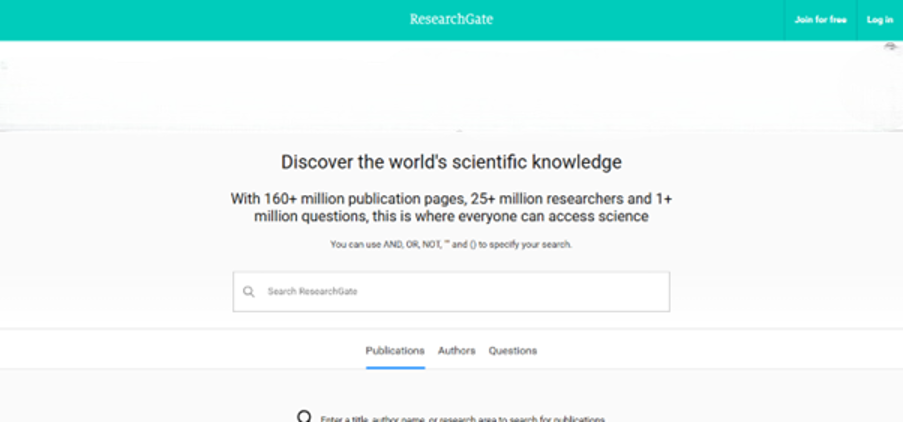
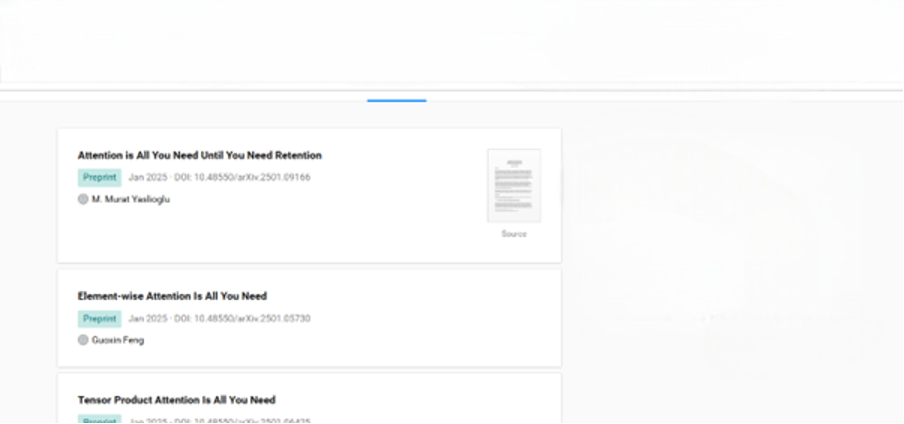
From search results, select a paper to explore further; you can read the abstract, view author information, and see related research.
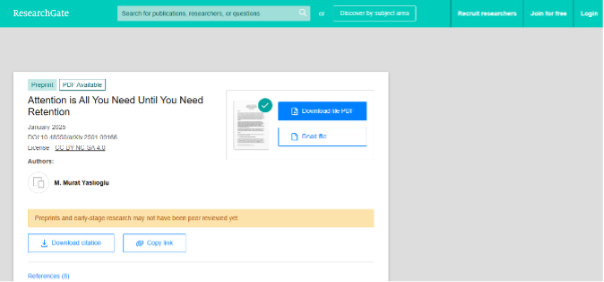
From the detailed publication page, users can read papers where available or request full-text articles, and also download citations in various formats.
By following these steps, you can effectively utilize ResearchGate for literature reviews and easily access and manage scholarly articles for your research needs.
Pros and Cons of ResearchGate
Now that we've answered your "What is ResearchGate?" question and even told you how to use ResearchGate for literature reviews, let's look at the tool's pros and cons for academics.
Pros of ResearchGate
- Strong academic networking and collaboration tools allows researchers to connect, collaborate, and share insights across disciplines.
- Free access to author self-uploaded research papers enhances the visibility of scholarly work, improving the study's reach, which can lead to more citations.
- Q&A forums foster academic discourse, allowing researchers to pose questions, provide answers, and engage in meaningful discussions.
- Job boards for academic opportunities build connections and facilitates career advancement within the academic sphere.
Cons of ResearchGate
- ResearchGate relies on researchers to upload papers, due to a lack of systemic publisher partnerships. This means it may host content that hasn't undergone rigorous peer review, leading to quality control issues.
- A related point is the potential for misinformation or unverified research being shared on ResearchGate. Academics need to be cautious and verify the credibility of materials found on the site against other reputable sources.
- The platform offers limited content discovery features, beyond networking and Q&A capabilities, which means you can easily miss out on important research in your field.
- ResearchGate does not seamlessly integrate with research management tools and reference managers, potentially hindering workflow efficiency for some users.
- Some users have raised privacy and data security concerns, particularly around automatic creation of profiles and how personal information is handled.
- The ResearchGate literature review experience is often interrupted by website advertisements, which can be frustrating and break your reading flow.
Enter R Discovery, the Best ResearchGate Alternative for Literature Reviews
R Discovery, a trusted literature search and research reading tool, is the best ResearchGate alternative for students and researchers. Designed to automate research discovery and simplify and speed up access to literature, R Discovery supports academics at every stage of the literature review process. R Discovery helps academics with:
- Finding relevant papers through personalized reading recommendations tailored to user preferences
- Accessing high-impact research articles via key institutional and publisher partnerships
- Consuming scholarly content more efficiently with short summaries, free chat with PDF feature, and an option to listen to and read research in multiple languages
- Organizing literature with customizable feeds, multiple reading lists, and easy integration with reference managers
- Collaborating with co-authors and fellow researchers by sharing curated reading lists on the platform.
A holistic tool that streamlines and enhances your literature review process, R Discovery is trusted by more than 3 million academics globally and stands tall as the highest-rated platform for literature search and reading.
Key Features of R Discovery
R Discovery has a host of features designed to save time and make the literature search and reading experience simpler, faster and more effective.
- Literature Recommender: The powerful R Discovery AI recommendation engine uses your topics of interest to suggest the latest, most relevant articles for you, with smart filters and best-in-class notifications so you never miss out on important research.
- Ask R Discovery: This generative AI-powered feature acts as your research partner, allowing users to ask questions and get factual summarized responses, with links to verified research papers from R Discovery's growing database of over 250 million research articles.
- Research audio playlists: R Discovery allows users to listen to research papers, create playlists by uploading research papers, and even translate and listen to research on the go, saving time, improving comprehension, and improving overall productivity.
- Accurate paper translation: Users can get accurate real-time translations of abstracts or full-text open access papers and read in 30+ languages on R Discovery. This is especially valuable for non-native English speakers as it helps to understand and assess English articles faster.
- Chat PDF: Chat with articles or upload PDFs to extract insights, analyse data, get reference-backed answers, and summarize the full text, making your reading faster and more efficient.
- Dedicated reading feeds: With top publisher channels and curated reading feeds for top 100 papers, open access articles, preprints and more, users get a more targeted reading experience.
- Research in Shorts: Users can scan research papers in minutes by extracting key highlights and presenting them as bite-sized insights—just like a social media feed.
- Access via institutional logins: Academics can enter their institutional credentials to access and read full-text paywalled papers that their institutions have subscribed to.
- Reference manager auto-sync: Users can quickly organize references by auto syncing their R Discovery library with top reference managers such as Zotero and Mendeley.
How to Use R Discovery for Literature Reviews?
Go tohttps://discovery.researcher.life/ and sign up for free. You can also install the free mobile app (available on Google Play and App Store) to read research on the go!

Once you sign in, complete a one-time set up of your research reading feed by selecting your areas of interest, adding key topics or journals you want to stay updated on, and clicking on the "Create My Feed" button on the bottom right.


R Discovery's powerful AI engine will use your preferences to scan its database and populate your feed with the latest, most relevant reading recommendations. You can sort articles by type, explore related reads, and upload articles and save them to your library for easy referencing later. You can also edit your reading feed to include more topics or change weightage of topics being recommended by our AI.
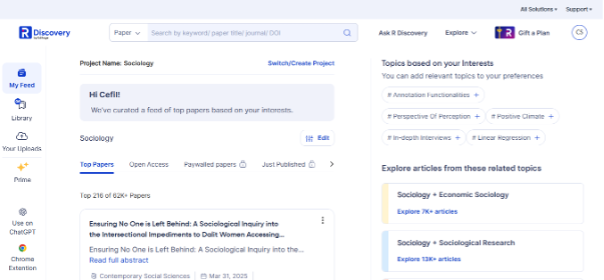
The best part is that unlike ResearchGate, which requires manual searches, R Discovery's AI recommendations continually learn and improve based on your reading habits, doing the work behind the scenes to ensure you find and read the latest and most relevant papers, so you can focus on more meaningful work – your research!
R Discovery vs ResearchGate: Head-to-Head Comparison
| Feature | R Discovery | ResearchGate |
|---|---|---|
| Literature Recommendations | AI literature recommendations based on user interests, fine-tuned basis reading habits and preferences | Not Available |
| Research Database | Over 250 million papers, including journals, preprints, peer-reviewed papers, open access papers, and much more | Over 160 million publication pages |
| Chat with PDF | Extracts key insights, analyzes data, and summarizes full-text PDFs in minutes | Not Available |
| Generative AI Assistant | The Ask R Discovery feature presents summarized insights backed by verified sources. Also available as a ChatGPT extension | Not Available |
| Related Research Papers | Similarity-based search shows all related papers, allowing users to see relevant papers across fields, regardless of citation count | Allows users to view papers from same authors |
| Audio Streaming | Offers multi-lingual audio, where users can select or upload articles and listen to abstracts, full papers, or specific sections | Not Available |
| Paper Translation | Provides accurate translation for papers in 30+ languages, without changing context or meaning | Not Available |
| Collaboration Capabilities | Allows users to create, share, and collaborate on reading lists with fellow researchers | Strong collaboration and academic networking features, such as Q&A forums and job boards. |
| Research Summaries | Generates instant summaries; Research in Shorts feature shares key takeaways for faster reading | Not Available |
| Institutional Access | GetFTR, LibKey integrations allow users to read paywalled full-text papers with institutional logins | Not Available |
| Reference Managers | Auto-sync reading lists with your Zotero or Mendeley libraries; export references from Ask R Discovery tool in any format. | Not Available |
| Accessible Across Platforms |
|
|
So, Should You Use ResearchGate for Literature Reviews?
As a researcher, networking and collaborating with peers is undeniably a crucial aspect of the work, and ResearchGate is one of the best platforms for this purpose. However, when it comes to effective and comprehensive literature reviews, ResearchGate offers only limited and basic features.
R Discovery, on the other hand, is designed specifically with researchers' needs and critical workflows in mind, making it a superior choice for your literature reviews. By leveraging AI and machine learning, it recommends the latest and most relevant research, eliminating the need to search for research and simplifying access to high-impact journal articles through institutional partnerships. Features like AI-powered translation using deep learning models further enhance accessibility, especially valuable for non-English speakers.
Additionally, R Discovery allows you to organize papers into reading lists and share them with others, significantly reducing the time spent managing research materials. If your goal is to automatically discover relevant content, consume it effortlessly, and free up more time for core research activities, R Discovery is the ultimate all-in-one tool for literature review. Don't just take our word for it, see the magic for yourself– Try R Discovery for free now!
